Before you start
- The intended trading account selected in Alphaxis.
- Closed-trade records available for that account and period.
- An understanding that screenshots are product illustrations, not audited performance claims.
Step-by-step setup
Check the account before reviewing results
Open Analytics and confirm the active account. The view uses that account’s records; after switching accounts, wait for the data to refresh before comparing results. An empty view can mean records are unavailable, not that no trades occurred.
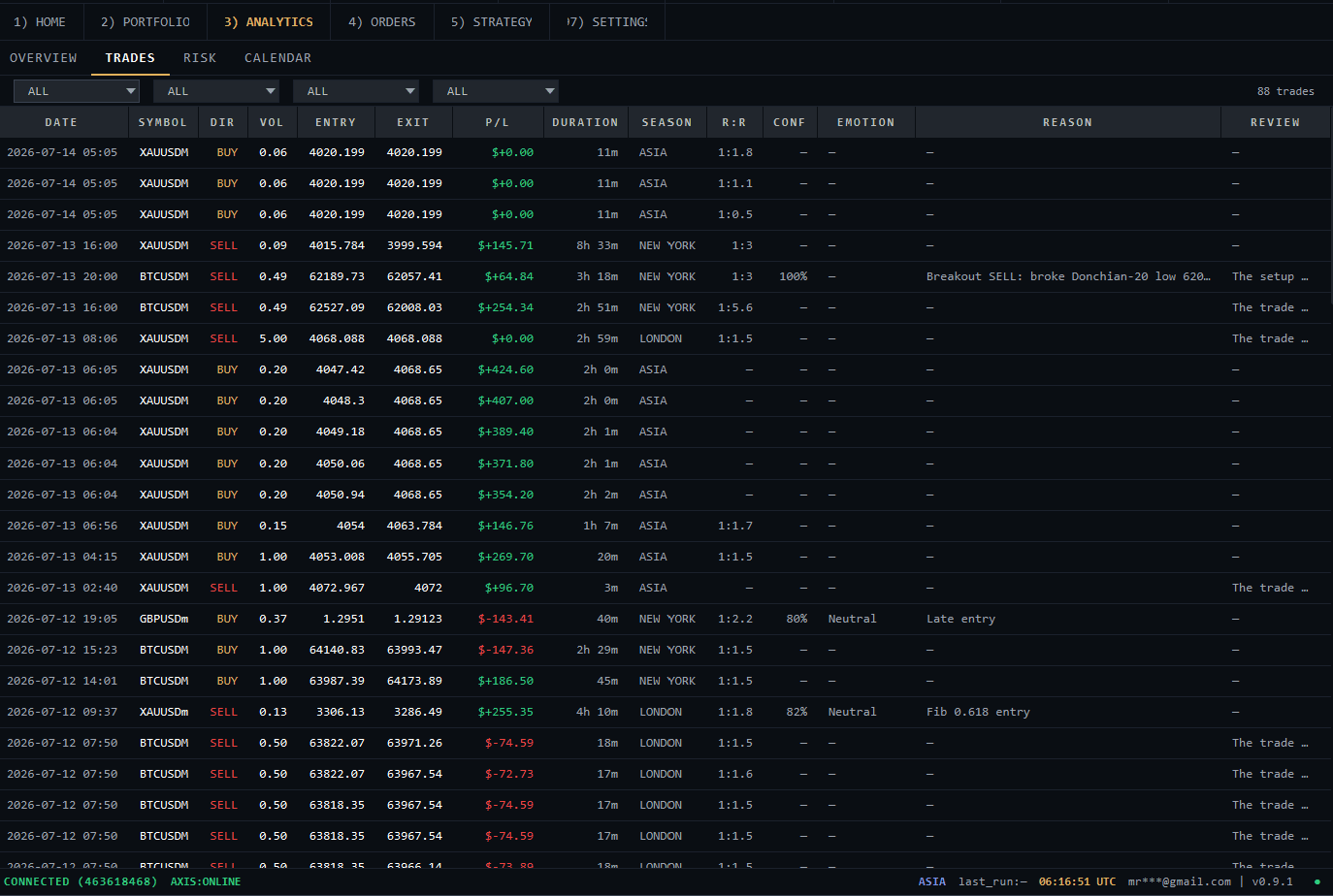
Inspect the trade journal
Open Trades and use the available symbol, direction, session and result filters. Compare date, instrument, volume, entry, exit, P&L and duration. Check the displayed trade count so a filtered subset is not mistaken for the full account history.
Read reasons and reviews in context
Inspect the reason and review columns where records contain them. Hover over truncated text to read the available tooltip. A missing review or confidence value does not establish a trading outcome. An AI review is commentary to inspect, not independent proof that a decision was correct.
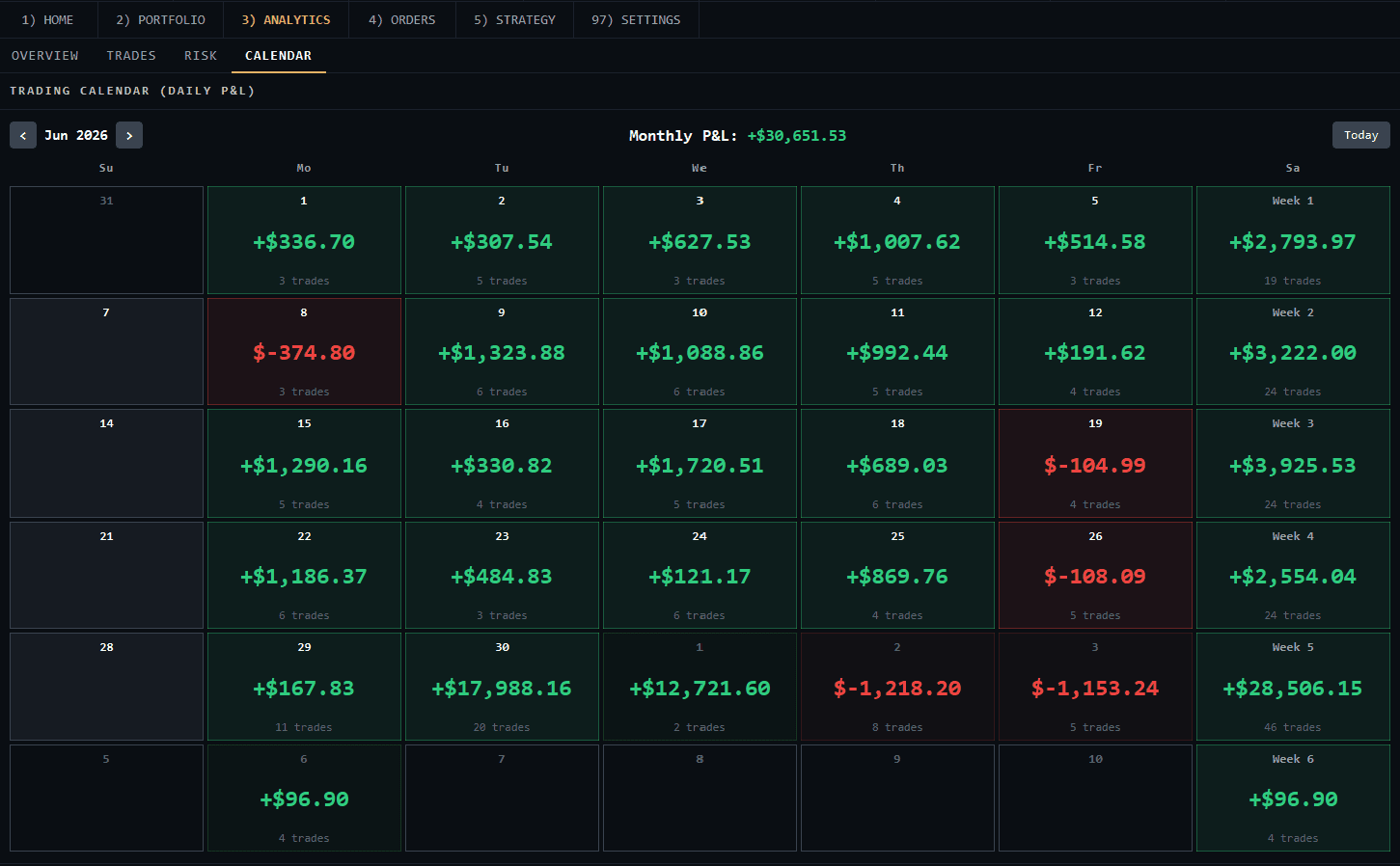
Review the P&L calendar
Open Calendar. Move between months with the navigation arrows or use Today to return to the current period. Inspect daily P&L and trade counts alongside the weekly and monthly summaries. Compare an unusual day with its underlying trade records instead of judging by cell color alone.
Checks and troubleshooting
- Clear filters and verify the active account if a journal total differs from what you expected.
- Check trade timestamps and data availability before comparing daily results with a broker statement.
- Use Overview and Risk alongside the journal to inspect drawdown and loss periods, not only profitable days.
Requirements and limitations
- This is a trading P&L calendar, not the economic-event calendar used by the news workflow.
- Displayed totals depend on the available account records and selected period. They are not an independent audit of returns.
- Green cells, historical profit figures and AI reviews do not guarantee future results. Do not interpret screenshot amounts as expected earnings.
Trading financial instruments carries a high level of risk and can result in the loss of all invested capital. Alphaxis AI is analysis and execution software, not a financial adviser. It does not guarantee profit, accuracy, or any trading outcome. Risk Disclosure