Before you start
- The correct active account and broker profile.
- An understanding of broker symbol specifications and current open positions.
- A distinction between manual/chat trades, agent strategies, Telegram Signals and Pro copy trading.
Step-by-step setup
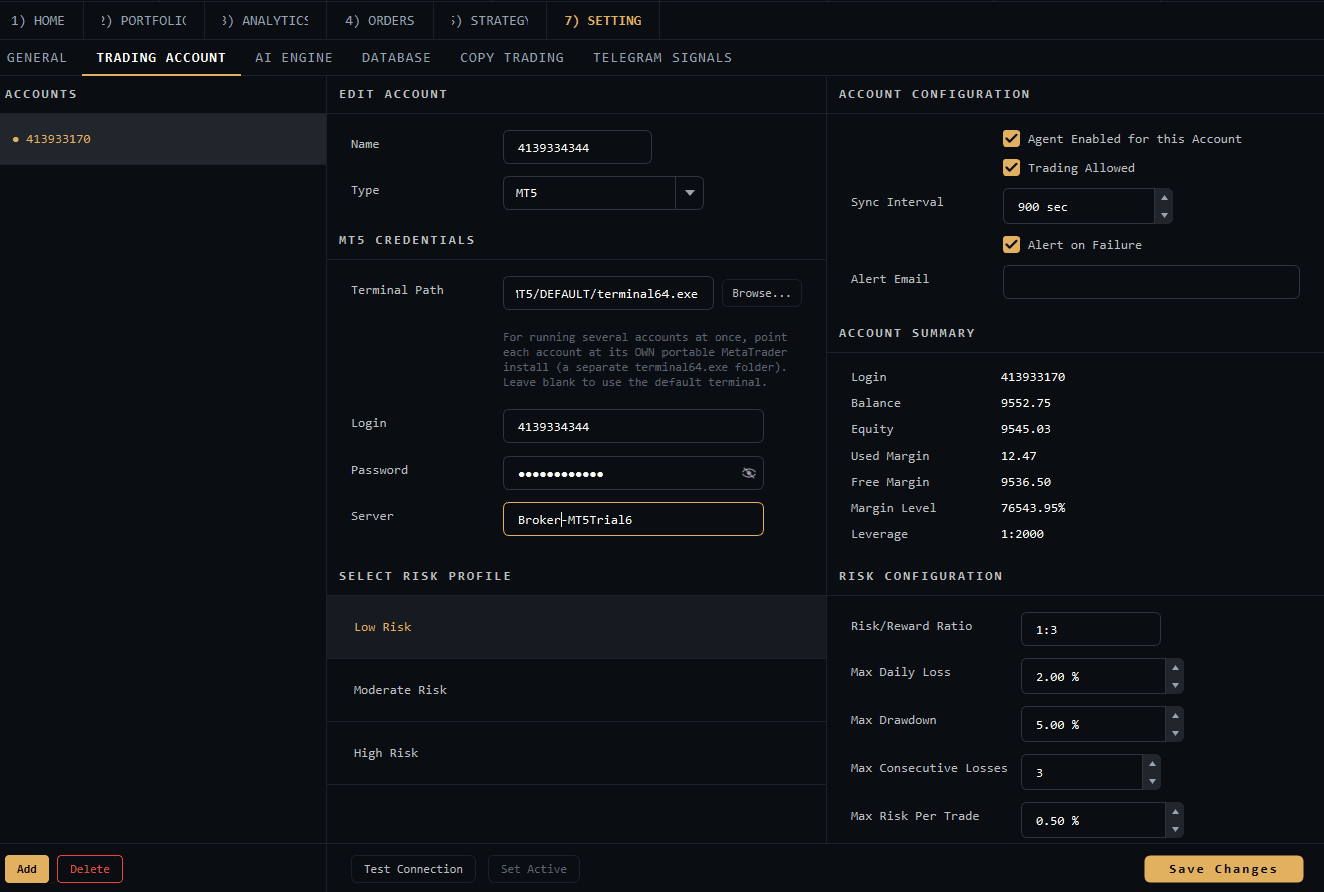
Review per-account limits
Open account risk configuration in Settings > Trading Account. Review risk per trade, daily loss, drawdown and consecutive-loss controls available in your build. Use your own requirements; this guide does not prescribe a trading risk percentage.
Check each execution workflow
Inspect strategy risk, maximum lot and maximum positions. For Telegram Signals, review Execute to and its risk setting. For copying, review the follower and multiplier. A setting in one workflow should not be assumed to configure every other workflow.
Review position management
In Settings > General, inspect trailing behavior, protective stops and which positions are managed. Distinguish manual/chat positions from agent positions. Confirm the controls apply to the trades you intend to manage.
Inspect news behavior and pauses
Check the strategy setting for high-impact news and the calendar. When the agent pauses, inspect Orders > Agent Log and risk indicators before changing limits. Do not increase a limit solely to clear a pause without understanding its cause.
Checks and troubleshooting
- Recheck controls after changing account, strategy, multiplier or workflow.
- Test intended behavior in a demo environment, including a paused or disarmed state.
- Use gauges and logs to inspect actual behavior; configured settings alone do not prove every safeguard was applied.
Requirements and limitations
- Stops and software checks cannot eliminate slippage, gaps or broker rejection.
- Local outages can interrupt monitoring. Broker-held protections differ from application-monitored actions.
- Historical analytics and thresholds do not guarantee future results or suitability for an individual trader.
Trading financial instruments carries a high level of risk and can result in the loss of all invested capital. Alphaxis AI is analysis and execution software, not a financial adviser. It does not guarantee profit, accuracy, or any trading outcome. Risk Disclosure