Before you start
- Alphaxis activated on a supported Windows computer.
- MetaTrader 5 installed for your broker, with your account credentials available.
- An account within your edition limit: Personal supports one enabled MT5 account; Pro supports up to five.
Step-by-step setup
Open the broker profile editor
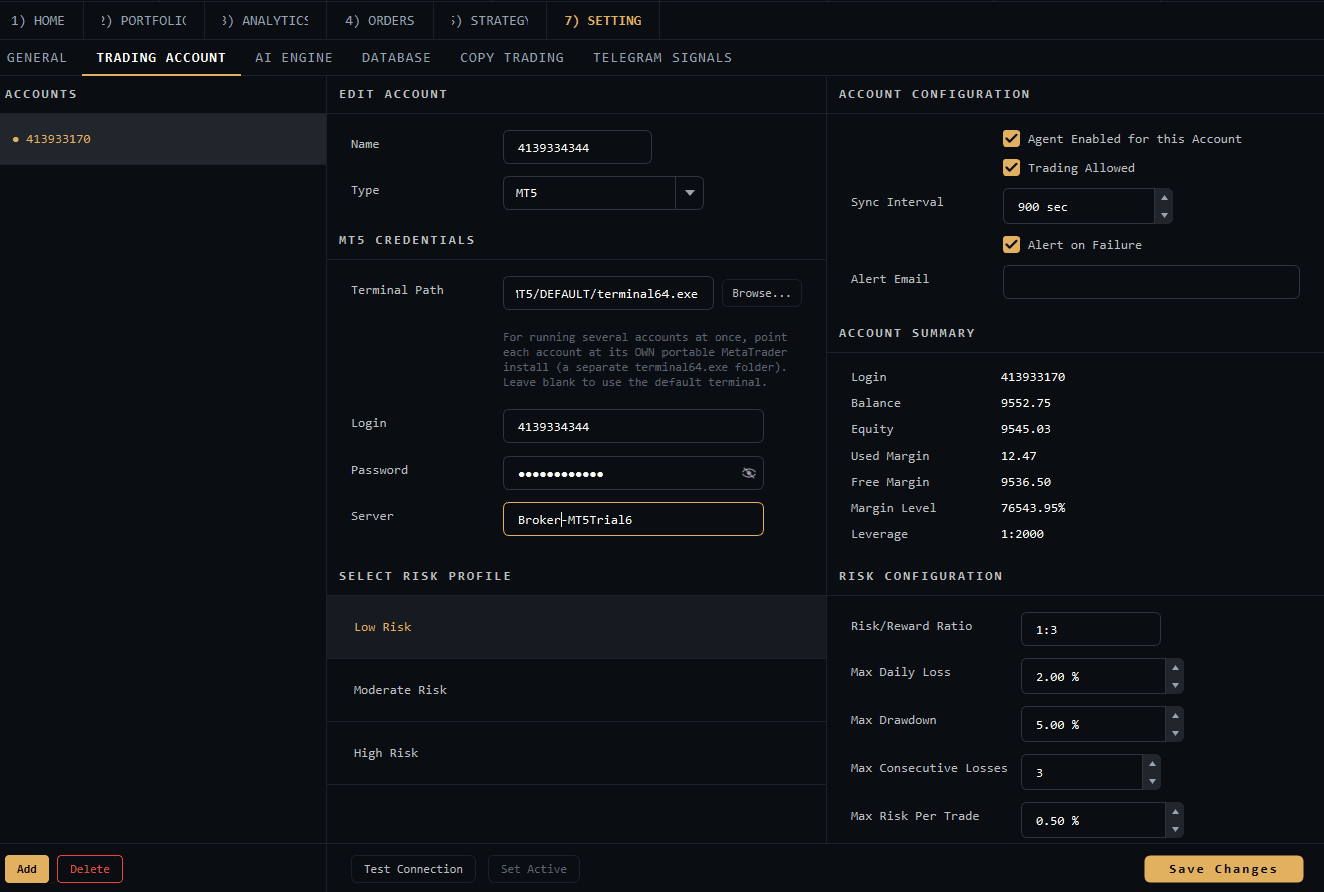
Go to Settings > Trading Account. Add a profile or select the one you want to update. Give it a name that clearly identifies the broker and account.
Set the terminal and account
Choose the MT5 terminal path and enter the broker login, password and server in the application. Use the installation associated with that account. Different broker terminals can expose different instruments. Never send these credentials through a website form.
Test before selecting the account
Use Test Connection. If it fails, check the terminal path, broker server and login. Confirm that MT5 itself can connect before retrying Alphaxis.
Select and verify the active account
Choose Set Active, then compare the account switcher, connection state, balance and positions with the intended account. Verify a symbol in the watchlist before enabling a strategy or another execution workflow.
Checks and troubleshooting
- Keep the agent off while checking connectivity; use a demo environment for initial workflow checks.
- If the wrong terminal opens, review the path for each account instead of changing all profiles together.
- Review per-account risk configuration after switching accounts.
Requirements and limitations
- A successful connection does not prove every broker symbol or order type is tradable.
- The local terminal and trading connection must remain available for monitoring and execution.
- Personal remote control operates its supported single account. It does not unlock Pro copy trading or concurrent multi-account operation.
Trading financial instruments carries a high level of risk and can result in the loss of all invested capital. Alphaxis AI is analysis and execution software, not a financial adviser. It does not guarantee profit, accuracy, or any trading outcome. Risk Disclosure