Before you start
- A configured broker profile and an available instrument.
- Historical data covering the requested symbol, timeframe and period.
- A strategy definition you can explain, including direction, risk and position limits.
Step-by-step setup
Define the strategy
In Strategy, add or edit the name, trigger type, symbol, timeframe, direction, risk percentage, maximum lot and positions, hours or days, and news behavior. Keep the strategy inactive while preparing it.
Review an AI-generated draft
If using AI Builder, describe the rules and inspect its preview of indicators, rules and risk controls. Use Verify Symbol to check the broker-specific instrument. Generated settings are a draft for your review.
Follow the path for the strategy type
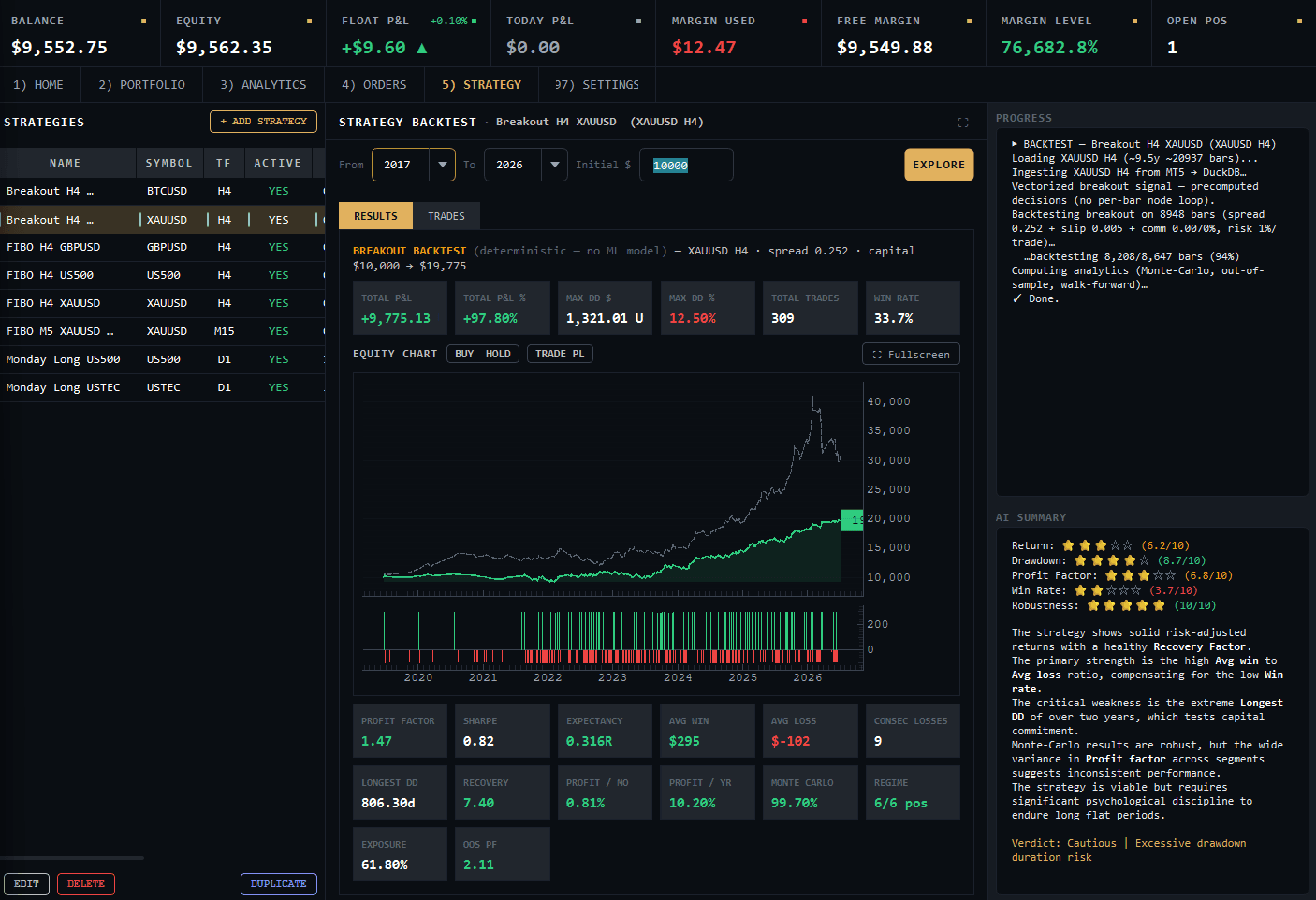
For a Model strategy, choose the period, run Re-ingest + Retrain, then Validate. Review backtesting before deployment. Deterministic rule, breakout and pattern strategies do not need the same ML training step; use the testing controls supported for that type.
Review results before deployment
Inspect trades, equity, drawdown and available out-of-sample results together. Check coverage, sample size, costs and errors. A Model strategy must complete training, backtesting and deployment requirements before the agent can trade it. Strategy activation and starting the agent are separate decisions.
Checks and troubleshooting
- For a test with no trades, check dates, symbol availability, entry conditions and data coverage.
- Compare configurations on comparable periods and record what changed.
- Review available out-of-sample or walk-forward information instead of judging only a favorable period.
Requirements and limitations
- Available tests and analytics depend on strategy type and installed build.
- Historical execution models cannot reproduce every live spread, gap, partial fill or latency event.
- A positive historical result is not a prediction. Validate the operating setup in a demo environment before live use.
Trading financial instruments carries a high level of risk and can result in the loss of all invested capital. Alphaxis AI is analysis and execution software, not a financial adviser. It does not guarantee profit, accuracy, or any trading outcome. Risk Disclosure