Before you start
- A provider, model and valid provider API key in Settings > AI Engine for AI requests.
- A Trade PIN for protected trading actions.
- A working microphone and selected speech engine for voice; text interaction does not require microphone access.
Step-by-step setup
Configure the AI engine
Choose the provider and model in Settings > AI Engine and enter your own API key there. Review tokens and temperature. Availability, usage charges and behavior depend on the provider; an Alphaxis license does not replace a provider account.
Start with an analysis question
Ask about the context you want reviewed, identifying the account or instrument when relevant. Check the response data and reasoning. Reading an analysis does not automatically authorize a trade.
Confirm supported actions deliberately
For a supported open, close or modify request, review account, symbol, size and protection levels, then follow Trade PIN confirmation. Keep account passwords, provider keys and the PIN out of public chat and support forms.
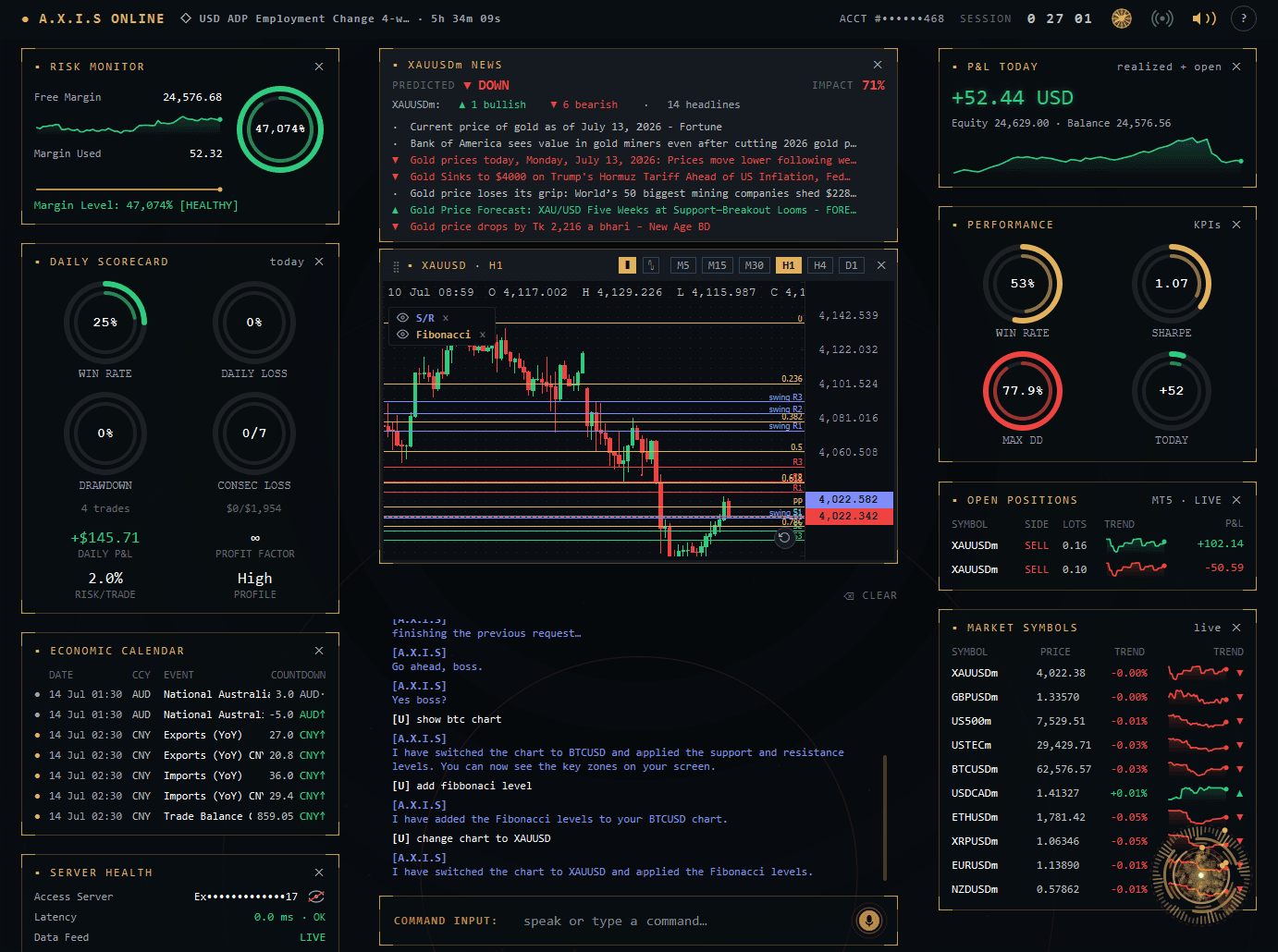
Control the A.X.I.S deck
Use Ctrl+K to summon or dismiss the deck. Type a command, or deliberately enable LISTENING before using the microphone. Wake-word listening is off by default. Choose supported STT and TTS engines in AI Engine settings and check key requirements for cloud voice options.
Checks and troubleshooting
- If AI requests fail, inspect provider, model, key and the application log.
- If voice does not respond, check LISTENING, microphone access and the selected STT engine.
- Try text to distinguish an assistant connection issue from a speech-recognition issue.
Requirements and limitations
- AI output can be incomplete or incorrect and is not financial advice.
- Cloud AI or voice options use the configured providers; not every mode is fully offline.
- The interface and supported commands can vary by build. Consult the in-app manual if a label differs.
Trading financial instruments carries a high level of risk and can result in the loss of all invested capital. Alphaxis AI is analysis and execution software, not a financial adviser. It does not guarantee profit, accuracy, or any trading outcome. Risk Disclosure