Before you start
- A Telegram account with permission to access the channel.
- Your Telegram API ID and API hash, entered privately in the application.
- A connected MT5 account and suitable historical market data. Signal workflows are available in Personal and Pro.
Step-by-step setup
Connect the channel
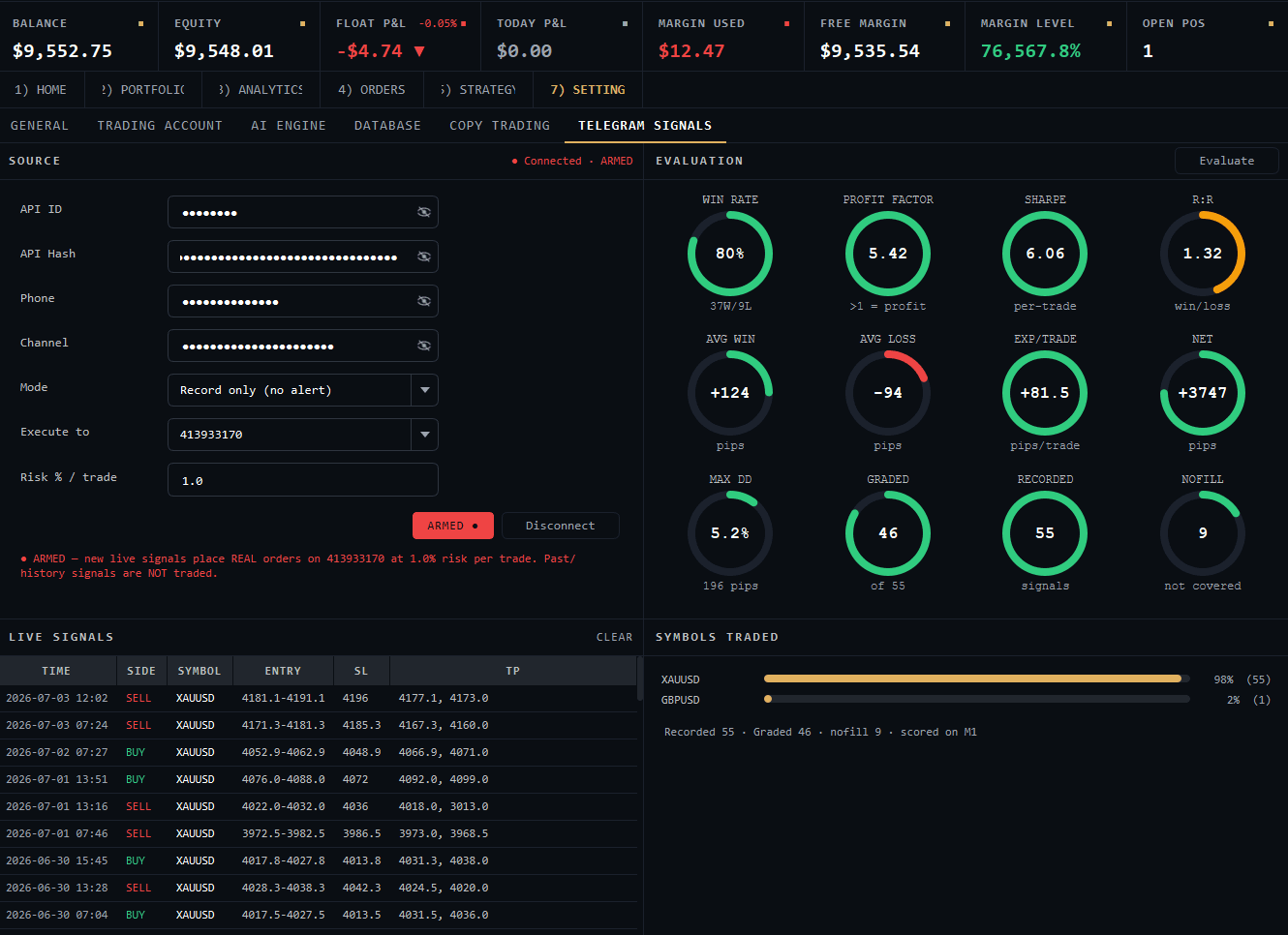
Open Settings > Telegram Signals. Enter your Telegram API details and complete the login prompts, including the code or two-factor step when requested. Select a channel your account can access.
Inspect the parsed messages
Watch Live Signals. Compare the symbol, direction, entry, stop-loss and take-profit fields with the original message. Unusual formats or incomplete messages need review; successful parsing does not prove a signal is valid.
Evaluate available history
Use Evaluate to fetch and grade available history against market data. Inspect recorded, graded and no-fill counts alongside the metrics. An uncovered period or unfilled entry is different from a winning or losing trade.
Enable execution deliberately
If you choose automated execution, select Execute to, verify the account and symbol, and configure risk per trade before enabling ARM. ARM is off by default and is not restored after restart. Recheck the setup before re-arming.
Checks and troubleshooting
- Use a demo account to inspect how the channel format maps to orders.
- Review connection, parsing and execution errors in the application log.
- Disarm the workflow when the signal source or account configuration changes.
Requirements and limitations
- Message access and historical market-data coverage affect what can be evaluated.
- Live fills can differ because of spread, slippage, latency or an unavailable instrument.
- Telegram Signals consumes channel signals. Telegram remote control is a separate bot-command workflow. Neither guarantees profitable trades.
Trading financial instruments carries a high level of risk and can result in the loss of all invested capital. Alphaxis AI is analysis and execution software, not a financial adviser. It does not guarantee profit, accuracy, or any trading outcome. Risk Disclosure