Understand the limits of AI
AI-generated analysis can omit important context, misread information, or be outdated. Treat it as decision support, verify inputs, and retain control over trading decisions.
Test before using a live account
Check setup on a demo account, verify symbols and order sizing, and review how protective settings behave. Historical tests and simulated results do not guarantee future outcomes.
Use risk controls thoughtfully
Configure limits that reflect your own risk tolerance and monitor positions. Controls can reduce exposure under defined conditions but cannot eliminate slippage, gaps, outages, or market risk.
Alphaxis requirements
The product requires Windows and the standard MT5 terminal. AI assistant functionality uses your own supported provider account and API key. Read the product risk disclosure before trading.
“Safe†depends on the risks being controlled
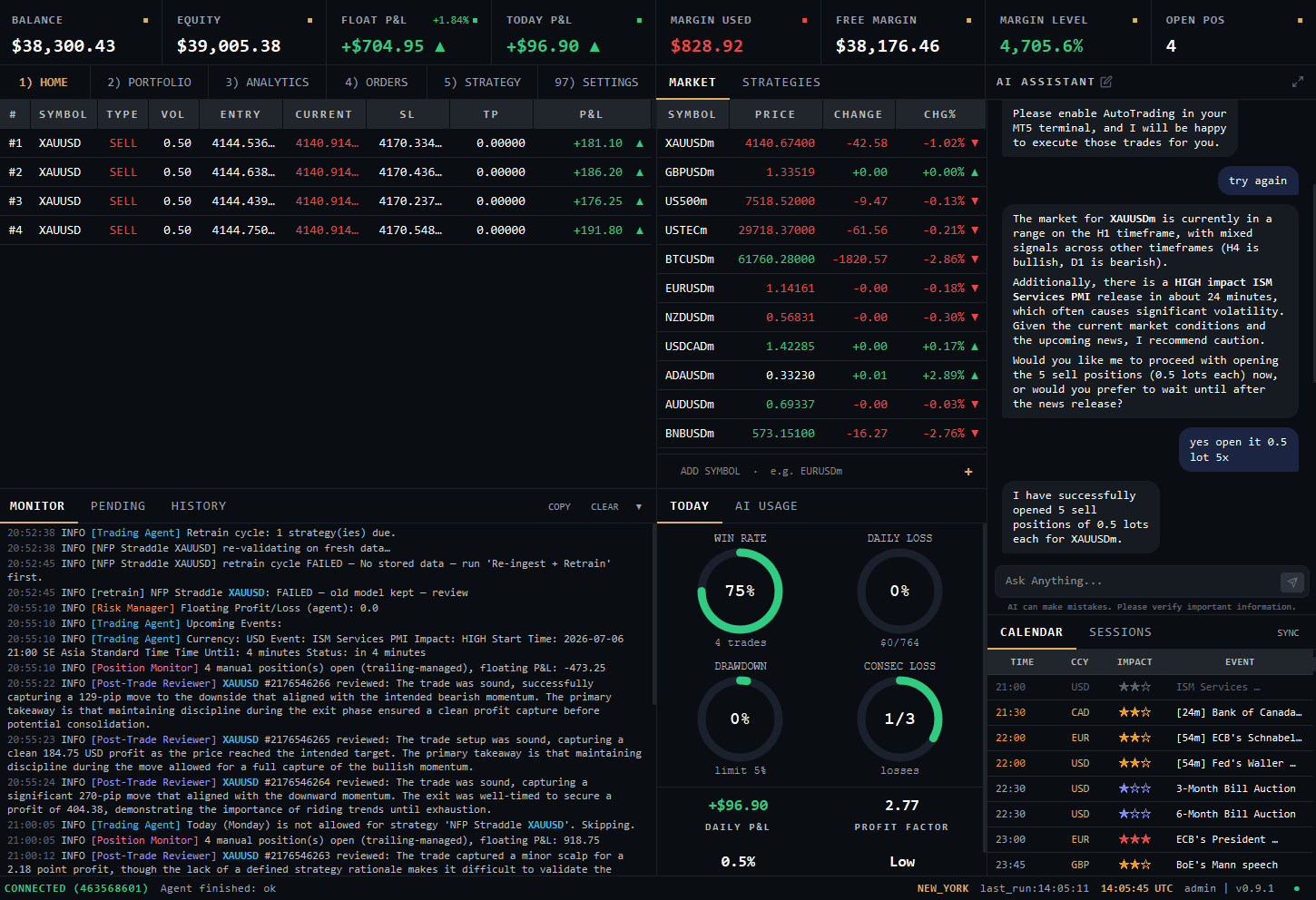
No AI trading tool can make trading risk-free. There are at least three separate questions: can the software connect securely and reliably, can its output be trusted, and can the trading strategy lose money? A product feature or confirmation step can help manage parts of the workflow; it cannot remove market, broker, execution, or operational risk. Alphaxis provides account monitoring, configurable strategy risk values, guard behavior, logs, and a Trade PIN for money-moving chat actions, according to its manual.
An AI response can be incomplete, outdated, or wrong. A strategy can also be logically correct yet lose money because markets change or execution differs from historical assumptions. Keep these risks separate when evaluating a product. Never infer safety from AI branding, a backtest screenshot, a win-rate number without methodology, or the fact that a workflow can be automated.
Use the product controls deliberately
Before connecting a live account, check the broker terminal path, account number, server, and connection status. Confirm the intended account is focused. Inspect strategy direction, symbol, timeframe, allowed trading hours and days, max lot, max positions, risk percentage, and news setting. If using a Telegram workflow, verify the source and parsed levels before enabling execution. If using copy trading, check master/follower roles and the configured sizing multiplier. Understand how to pause the agent and where its activity is logged.
Risk guards and limits work only within their defined conditions. They do not guarantee a maximum loss in every market scenario and cannot eliminate slippage, gaps, disconnections, broker rejection, or unexpected software behavior. Keep the terminal and application monitored, and do not allocate funds you cannot afford to lose.
A staged evaluation process
Start with a demo account and a narrow test scope. Use one instrument and one strategy, record the exact settings, and observe behavior through different market conditions. Compare orders, fills, stop and target values, and account state with the MT5 terminal. Test how the workflow behaves when a symbol is unavailable, the connection drops, a signal is malformed, or risk controls pause activity. Change one variable at a time and keep notes so the result can be reproduced.
For strategy testing, inspect the test period, data coverage, trade count, drawdown, equity curve, and individual trades. Avoid repeatedly tuning rules to one historical period. Use a separate period where possible and validate on demo; backtesting does not guarantee future returns or live execution quality.
AI provider, account, and privacy considerations
Alphaxis assistant features use a supported AI provider and API key configured by the user; the product does not bundle a shared AI subscription. Review the provider’s terms, pricing, and data handling before sending prompts or account context. Avoid placing passwords, Trade PINs, or unrelated sensitive information in prompts. Use strong credentials for the application and broker, secure the computer, and keep access to the MT5 account limited to people you trust. Consult the site’s privacy policy and product documentation for data-handling details.
These practices reduce avoidable operational exposure; they do not constitute financial advice or guarantee cybersecurity. If you cannot explain what an automation setting does, leave it disabled until you have verified it on demo or consulted product support.
Trading financial instruments carries a high level of risk and can result in the loss of all invested capital. Alphaxis AI is analysis and execution software, not a financial adviser. It does not guarantee profit, accuracy, or any trading outcome. Risk Disclosure