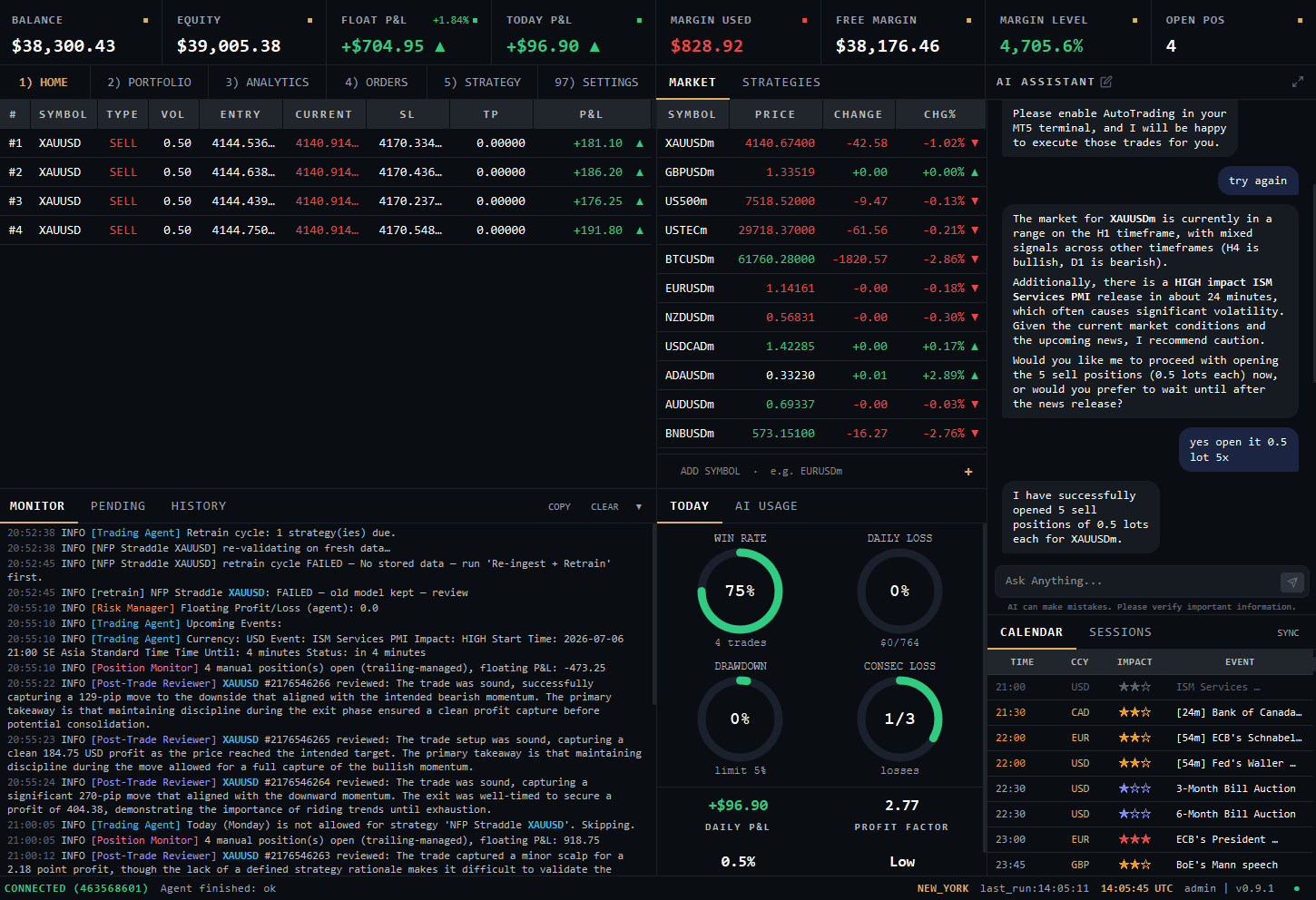
Mulai dengan alur yang jelas
Tentukan apa yang dianalisis, kondisi yang relevan, dan tindakan yang perlu ditinjau. Alphaxis menyediakan alur analisis, sinyal, manajemen order, dan kontrol risiko; pengguna mengatur perilaku yang didukung.
Hubungkan dan atur MT5
Pasang dan masuk ke terminal MetaTrader 5 standar, lalu hubungkan di Alphaxis. Pastikan akun, simbol, sizing, dan pengaturan perlindungan sebelum menggunakan akun live.
Tinjau sebelum eksekusi live
Output AI bukan instruksi trading secara otomatis. Tinjau sinyal dan analisis, uji alur pada akun demo, dan pahami pengaruh batas risiko pada order.
Persyaratan dan batasan
Anda memerlukan Windows, akun broker MT5, terminal MT5, serta kredensial penyedia AI yang didukung untuk fitur asisten. Tidak ada otomasi yang menghilangkan risiko pasar atau menjamin kinerja.
Automation in Alphaxis: analysis, rules, and execution
“Automate MT5 with AI†can mean several different things: asking AI to interpret a chart, turning a natural-language description into a draft strategy, executing a repeatable programmed strategy, processing Telegram signals, or mirroring trades between accounts. These are different workflows with different controls. Alphaxis brings several of them into one desktop product, but AI analysis itself should not be confused with an unattended profit engine.
The manual describes an optional agent toggle, strategy activation controls, risk guards, and a Trade PIN for money-moving actions launched from chat. Strategy execution depends on the selected account, strategy configuration, active status, and the agent being allowed to run. Review the status indicators and logs so you know whether an agent is off, active, or paused by a guard.
A controlled setup sequence
First connect the intended broker account through the MT5 terminal and check the connection state. Confirm the symbol as named by the broker; Alphaxis provides a Verify Symbol action because brokers can use suffixes such as XAUUSDm. Next define the strategy type, timeframe, direction, maximum lot, maximum positions, risk percentage, allowed hours and days, and news behavior. Keep a new strategy inactive while you inspect it.
If you use AI Builder, treat the generated indicators and rules as a draft. Review every condition, risk value, symbol and timeframe, then validate and save. For Model strategies, the manual specifies a train, backtest, validate and deploy path before the agent can trade them. Deterministic Rule, Breakout, Pattern, and Calendar strategies use the applicable exploration/out-of-sample workflow. Strategy activation and starting the agent are separate decisions.
Signal and multi-account automation
The Telegram workflow can parse supported signal messages and provides recording and grading before execution controls are considered. Check the channel, parsed entry, stop and target values, symbol mapping, and history period; the setup guide explains that a new signal is not applied retroactively. For copy trading, Pro supports relations between a master and follower account, with trigger, direction, and size settings. The manual requires at least two configured accounts, and account quotas depend on edition. Verify the relation and sizing on demo accounts before connecting live accounts.
Automation still depends on terminal availability, broker execution, market conditions, and correct settings. Risk limits can constrain defined behavior but cannot prevent slippage, gaps, outages, rejected orders, or losses. Read the specific strategy guide, Telegram guide, and copy trading guide before enabling the related workflow.
A practical demo-account checklist
Use an account with no live exposure. Confirm the MT5 login and server, connection indicator, broker-specific symbols, and selected account. Check that strategy hours match the intended timezone and that allowed days, direction, lot cap, position cap, and risk percentage are deliberate. Verify news handling and protective settings. Run the strategy test and inspect both the equity curve and individual trades, not only a single summary metric. Confirm whether the agent is running and learn how to stop it. Record what you observe and repeat after changing one setting at a time.
Trading instrumen keuangan memiliki tingkat risiko tinggi dan dapat menyebabkan hilangnya seluruh modal. Alphaxis AI adalah software analisis dan eksekusi, bukan penasihat keuangan. Alphaxis AI tidak menjamin profit, akurasi, atau hasil trading apa pun. Pengungkapan Risiko